
Quick Article Directory
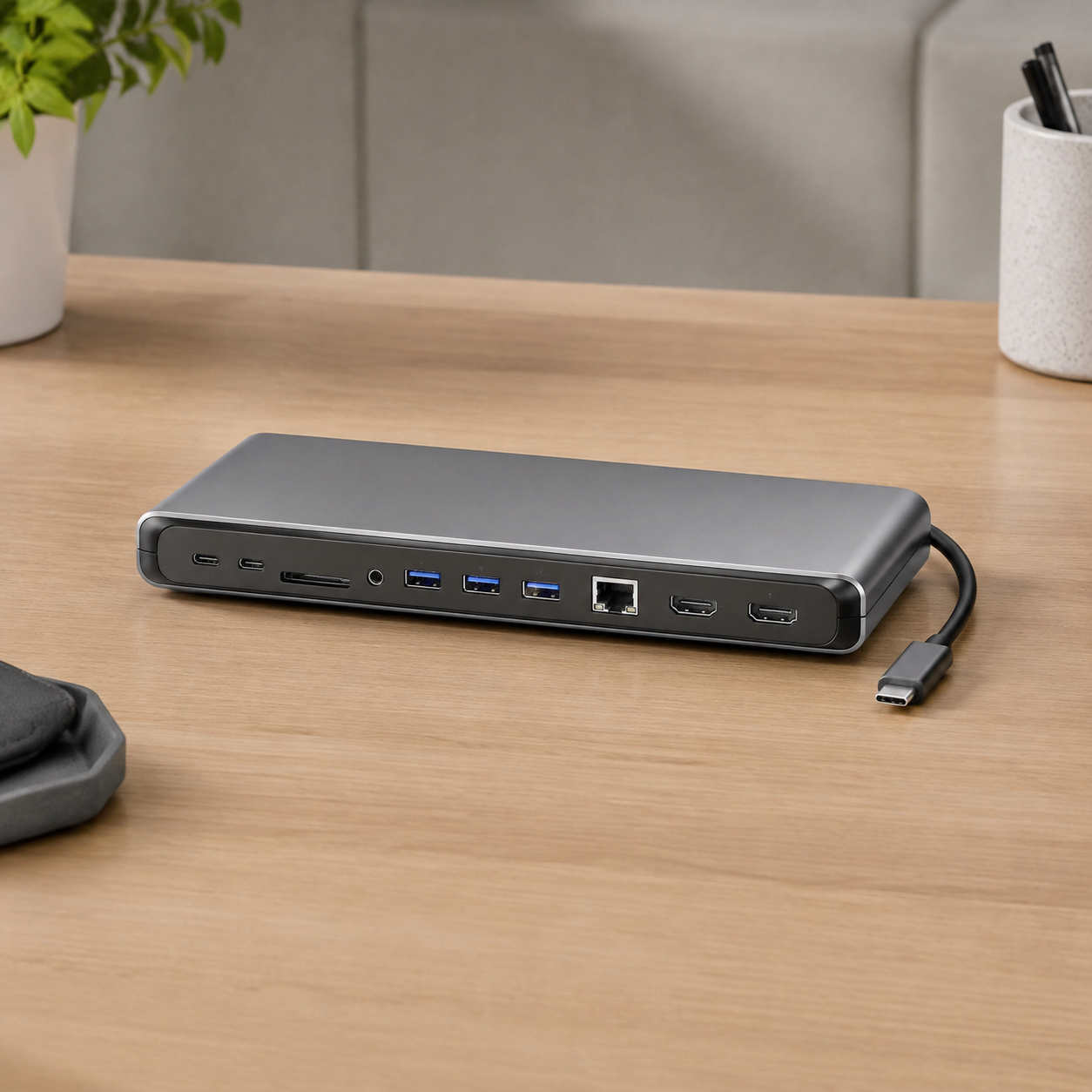
Laptop Docking Station Wholesale Guide for Office Electronics Buyers
Topic Research and Search Intent
Blog title: Laptop Docking Station Wholesale Guide for Office Electronics Buyers
Target keyword: laptop docking station wholesale guide
Search intent: Overseas buyers want to compare docking station suppliers, understand USB-C video and charging compatibility, confirm port combinations, and prepare a clear B2B quotation request.
Why this topic fits a B2B export website: Docking stations are decision-stage products. Buyers usually search because they need fewer returns from office, education, remote-work, and corporate IT customers. A practical sourcing guide supports Google SEO, AI Overview answers, and qualified inquiries.
Introduction
Laptop docking stations help users turn a portable computer into a full desk setup. They connect monitors, keyboards, mice, Ethernet, storage, card readers, and power through one main cable. For B2B buyers, docking stations can be sold to office electronics retailers, corporate IT suppliers, education projects, online stores, and remote-work accessory channels.
The challenge is compatibility. A docking station may look professional in photos, but real performance depends on the host laptop, USB-C capability, DisplayPort Alt Mode, Thunderbolt support when applicable, HDMI chipset, PD pass-through, Ethernet controller, cable quality, heat control, and firmware behavior. Buyers should evaluate docking stations as technical products, not as simple port extenders.
This guide explains how importers and distributors can source laptop docking stations wholesale. It covers application planning, key specifications, factory testing, packaging, supplier evaluation, RFQ preparation, images, CTA placement, and buyer FAQs. For related reading, see ByteAero's USB-C hub wholesale guide and portable monitor wholesale guide.
For interface and certification language, buyers can review the USB-IF's official USB compliance information before approving packaging claims.
Define the Target Customer
Office users may need dual-display support, Ethernet, USB-A ports, and PD charging. Students may need a smaller dock for tablets and laptops. Corporate buyers may need stable supply, clear compatibility documents, and conservative packaging claims. Gaming or creator users may care about refresh rate, storage speed, and display output.
Buyers should define whether the dock is for entry-level retail, business productivity, home office, education, or premium professional use. This decision affects port layout, material, chipset, cable, box size, testing standard, and target price.
Key Specifications to Confirm
USB-C Video Support
Not every USB-C port supports video output. Packaging should explain that HDMI or DisplayPort output requires a host device with video output support. Buyers should test common Windows laptops, MacBook models, tablets, and monitors before approving a claim.
PD Charging
Power pass-through is important for one-cable desk setups. Confirm maximum input wattage, output wattage to the laptop, and whether the dock reserves power for itself. Test charging while monitors and USB devices are connected.
HDMI and Multi-Display Output
Dual-display support is valuable for offices, but it is also a common source of confusion. Confirm supported resolution, refresh rate, operating-system behavior, and whether mirror or extended modes are supported.
Ethernet, USB, and Storage
Corporate buyers often require Ethernet stability. USB-A ports should be tested with keyboard, mouse, flash drive, and external storage. Card readers should be tested with real SD and microSD cards if advertised.
Factory Testing and Shipment Inspection
Factory testing should include appearance, cable strain relief, PD charging, HDMI output, dual-display behavior, Ethernet, USB data transfer, card reader function, heat review, packaging, and barcode inspection. Shipment inspection should compare finished goods against the golden sample, including carton marks, accessories, manuals, and labels.
Supplier Evaluation and RFQ Example
Evaluate whether the supplier can explain chipset choices, compatibility limits, repeat-production control, and inspection process. Ask whether components will remain consistent across repeat orders.
RFQ example: "We need USB-C docking stations for office electronics retail. Please quote 8-in-1 and 11-in-1 models with HDMI, Ethernet, USB-C PD, USB-A, SD/microSD, aluminum shell, English packaging, and private-label logo. Confirm video support, PD pass-through, sample lead time, production lead time, and inspection options."
FAQ
What is the difference between a USB-C hub and docking station?
A hub is usually smaller and portable. A docking station is often designed for a more complete desk setup with more ports, stronger power handling, and business-oriented use.
Do docking stations work with all laptops?
No. Video and charging behavior depend on the laptop's USB-C capabilities, operating system, cables, and dock design.
What should be tested before shipment?
Test video output, PD charging, Ethernet, USB data, card reader function, heat, cable strain relief, packaging, and accessories.
Image Planning and AI Generation Prompts
Image 1 purpose: Product application photo.
Insert position: After "Introduction".
Caption: "Docking station application testing should include laptop, monitor, Ethernet, and charging workflows."
ALT text: "Laptop docking station office setup for wholesale buyers"
AI image prompt: "Realistic office product photography of one USB-C laptop docking station connecting a laptop and monitor, full product visible, clean business desk, natural light, no text, no logo."
Image 2 purpose: Factory testing photo.
Insert position: After "Factory Testing and Shipment Inspection".
Caption: "Factory testing helps verify display output, PD charging, USB data, and Ethernet before shipment."
ALT text: "Laptop docking station factory testing and quality control"
AI image prompt: "Realistic electronics factory scene, Asian technician testing USB-C docking stations with laptop, monitor, power meter, and Ethernet cable, clean workbench, documentary B2B style."
CTA and Inquiry Popup Plan
Mid-article CTA position: After "Factory Testing and Shipment Inspection".
CTA text: Send Your Requirements
End CTA position: After "Conclusion".
CTA text: Get a Quote
Popup trigger suggestion: 40% scroll, 30 seconds on page, exit intent.
Popup title: "Need Docking Stations Wholesale?"
Popup copy: "Send your required port layout, target laptop users, packaging style, and order quantity."
Suggested form fields: Name, Email, Phone, Company, Country/Region, Port Requirement, Order Quantity, Message.
Submit button text: Send Requirements
Conclusion
Laptop docking station sourcing requires careful compatibility planning, real device testing, accurate packaging, and shipment inspection. Buyers who define port layout, video needs, PD charging, and target channels clearly can reduce returns and receive more useful supplier quotations.
ByteAero supports B2B buyers sourcing docking stations, USB-C hubs, portable monitors, cables, and charging accessories. Contact us with your office electronics requirements for practical model recommendations.